How to Delete a Pivot Table in Excel (The Simplest Way)
This video goes through the simplest way how to delete a pivot table in Excel.
Shall we have a look?
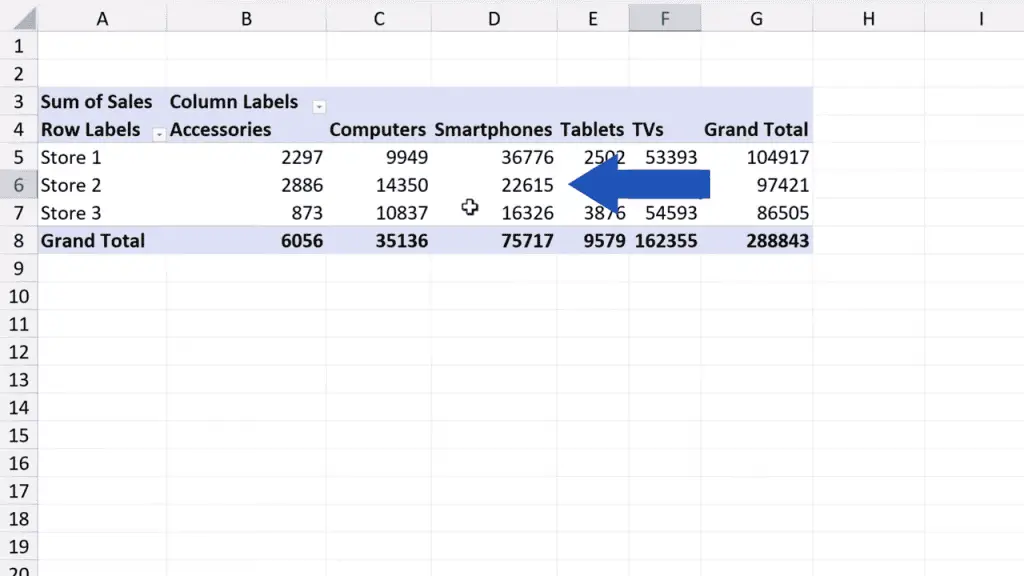
To remove a pivot table completely, click anywhere within the pivot table area.
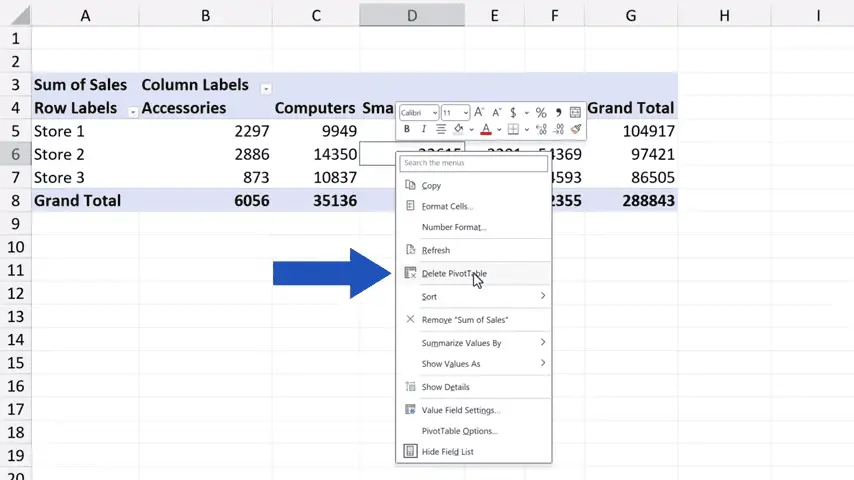
Then right-click and choose the option ‘Delete PivotTable’.
And that’s all it takes! The pivot table’s gone.
Don’t miss out a great opportunity to learn:
If you found this tutorial helpful, give us a like and watch other tutorials by EasyClick Academy. Learn how to use Excel in a quick and easy way!
Is this your first time on EasyClick? We’ll be more than happy to welcome you in our online community. Hit that Subscribe button and join the EasyClickers!
Thanks for watching and I’ll see you in the next tutorial!

 How to Subtract a Percentage in Excel
Welcome! Today we’re going to talk about the simplest way how to…