How to Use Goal Seek in Excel
In this video tutorial, we’re going to have a look at how to use the function Goal Seek in Excel in a quick and easy way. It comes very handy when you’ve got to calculate a value needed to achieve a set goal.
So, let’s see how it works using a specific example.
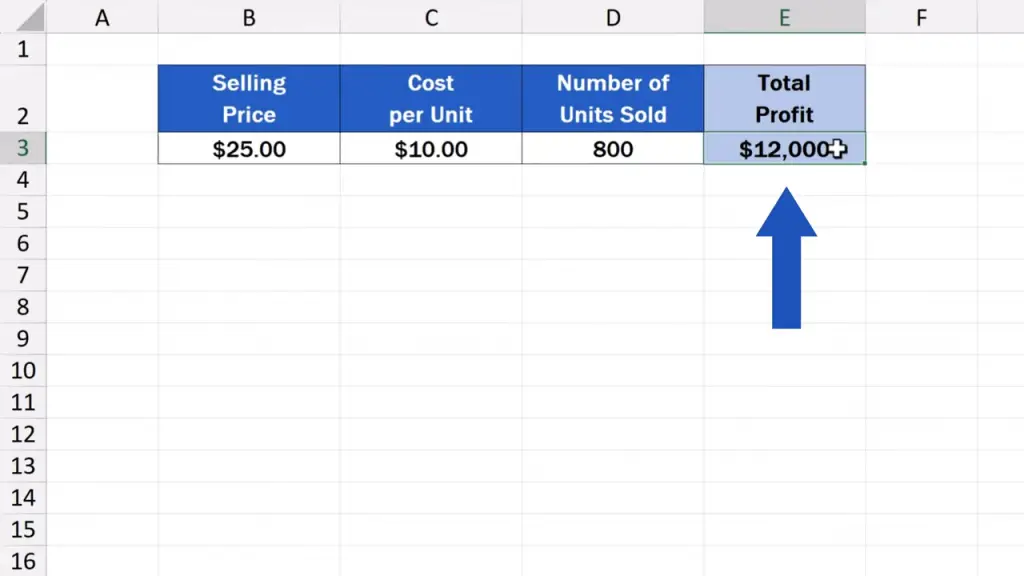
To better understand what Goal Seek in Excel is about, we’ll have a look at a simple example. Here’s a data table that calculates Total Profit. This sum depends on the product selling price, cost per unit, and the number of units sold.
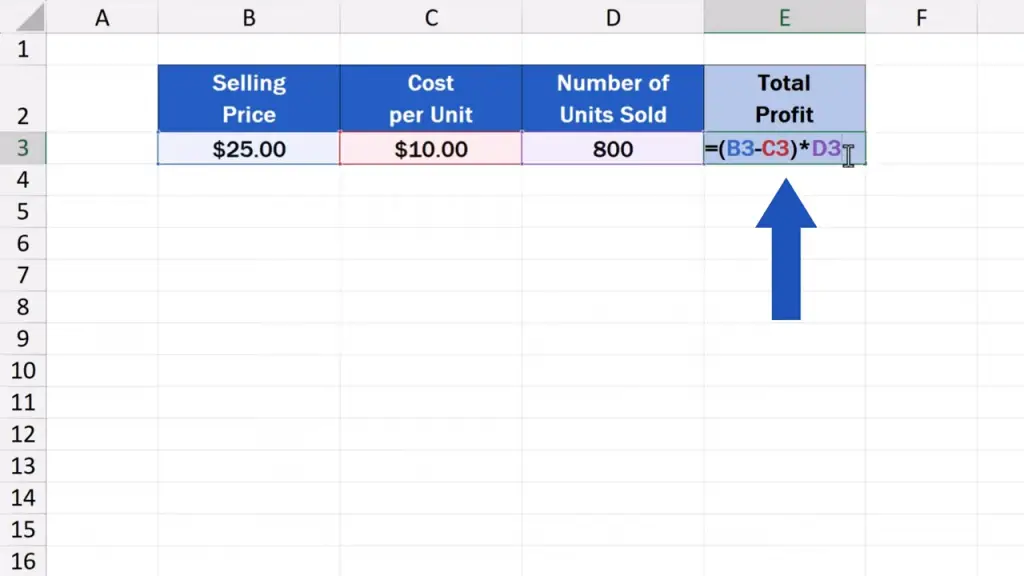
Let’s say we want to increase the total profit from the current 12 000 dollars to 20 000 dollars.
And here comes Goal Seek to help us answer the question in the fastest possible way.
We’re keeping the cost per unit and the number of sold units the same, so the question is what should be the selling price to achieve the total profit of 20 000 dollars.
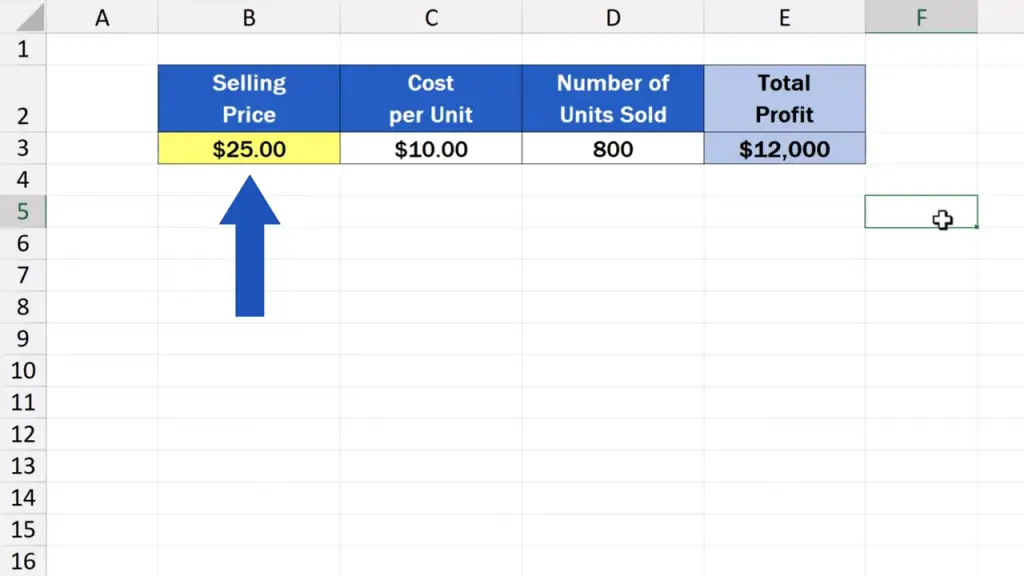
Let’s have a look at how to do that.
Where to Find Goal Seek in Excel
First, we click on the cell containing the formula to calculate the total profit. In this case, it’s the cell E3.
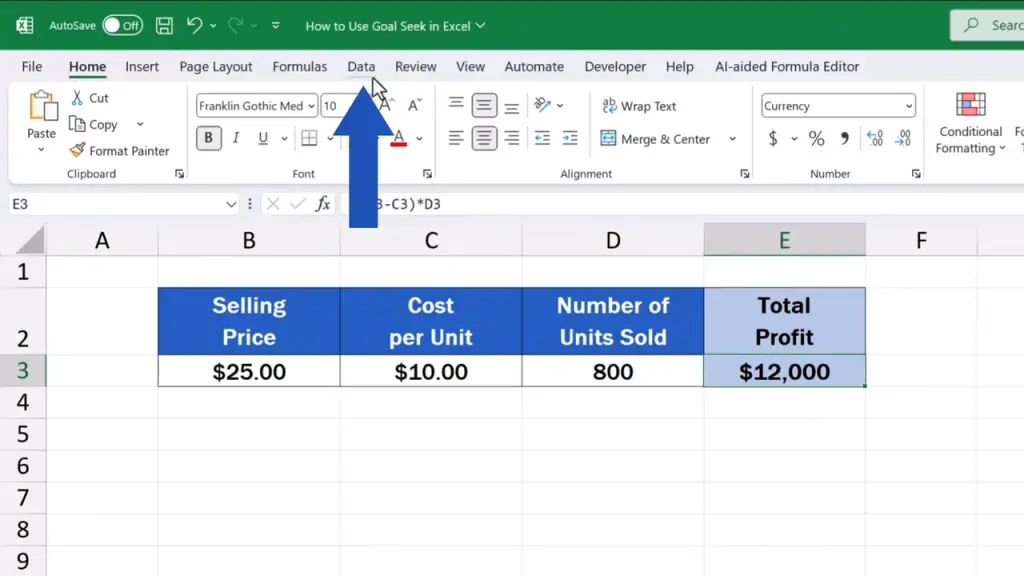
Now, we go to the ‘Data’ tab.
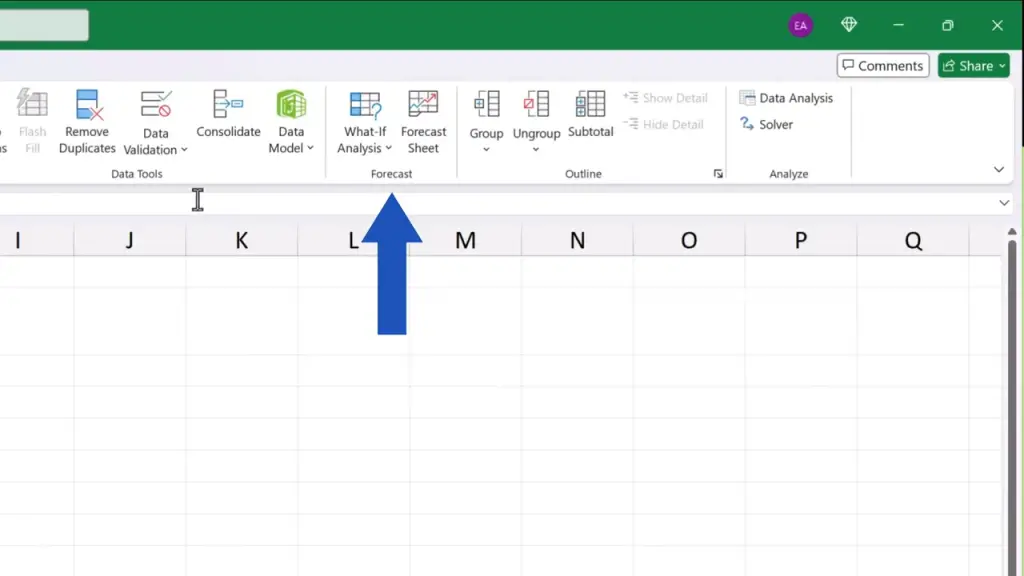
Look for the section ‘Forecast’.
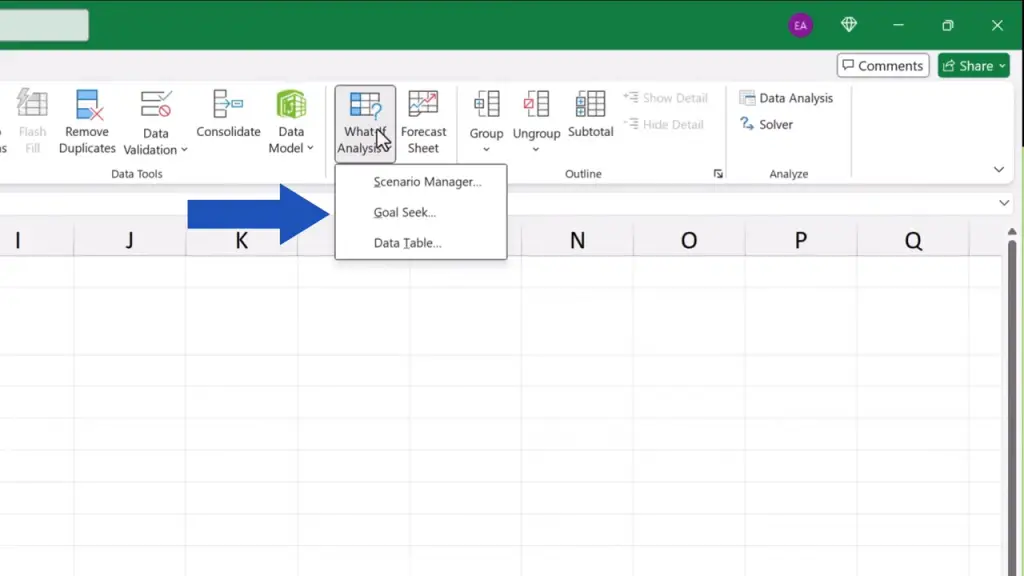
And click on ‘What-If Analysis’.
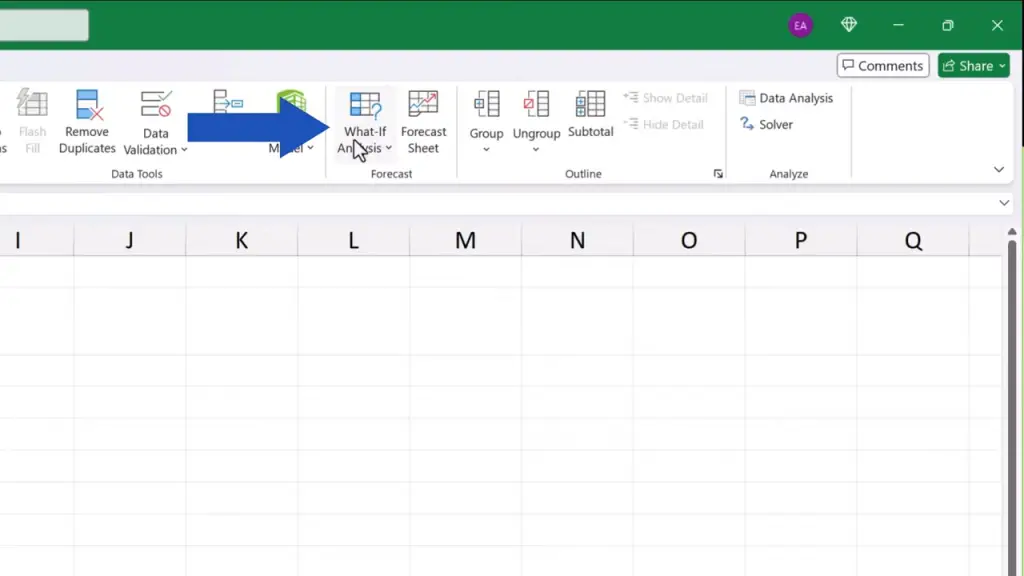
Here you can find Goal Seek, so click on it.
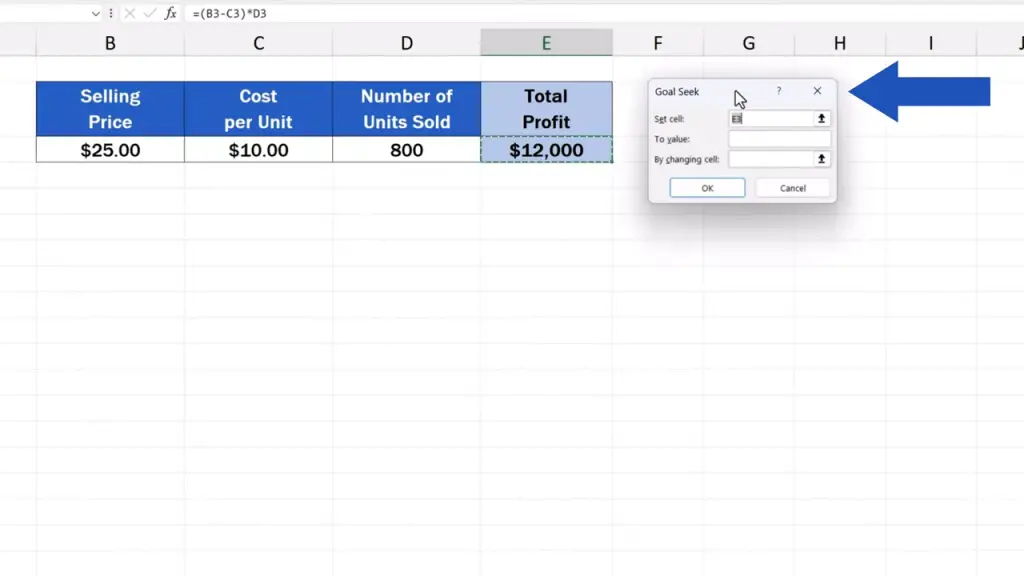
You’ll see a little window pop up on the screen.
How to Fill Out Goal Seek Step by Step
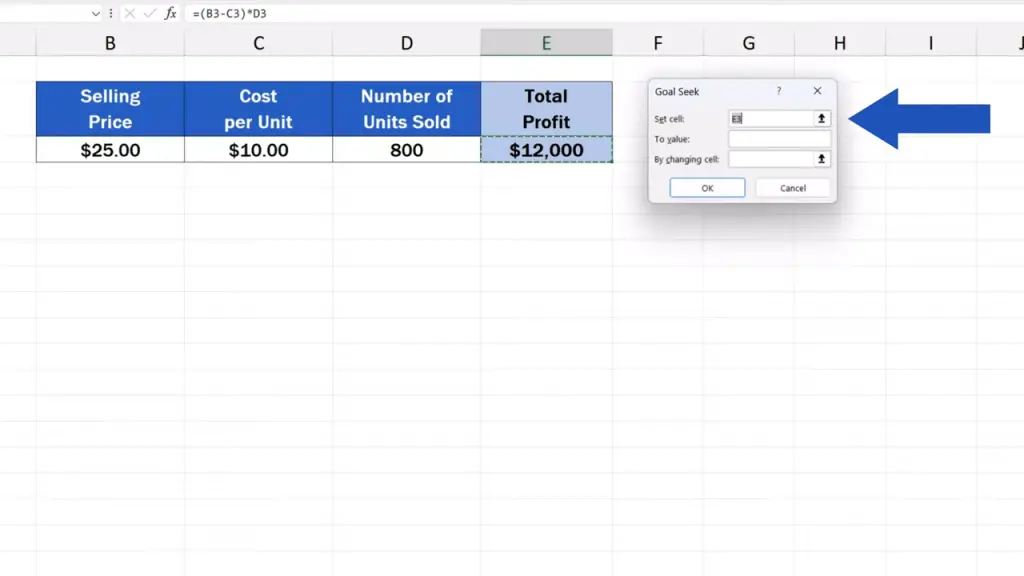
There are three fields to be filled in: ‘Set cell’ –in this field, we need to enter the cell containing the calculation of the sum that’s our goal to achieve. It’s E3 in this case, we calculate the total profit in this cell.
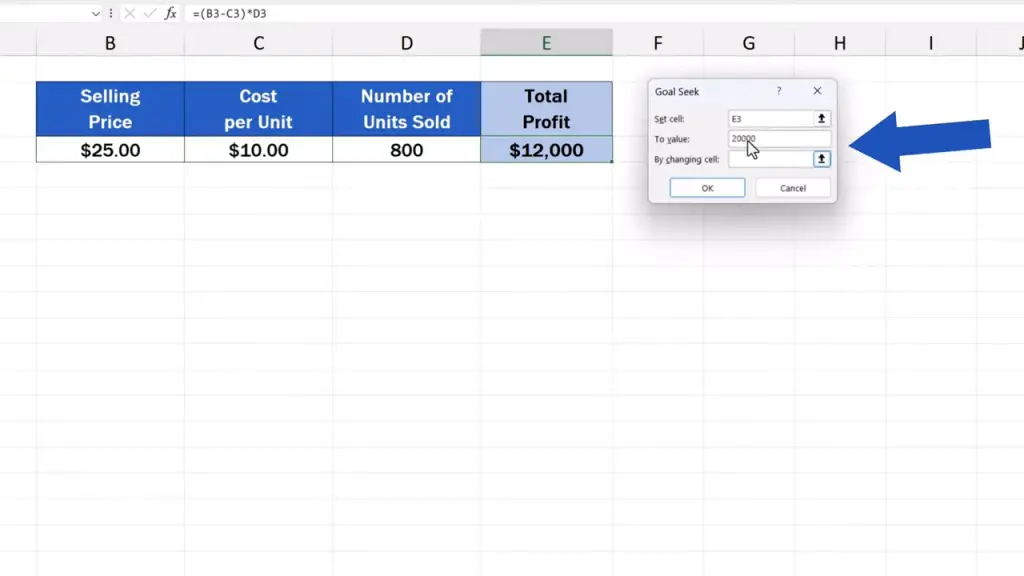
In the field ‘To value’, we need to enter the exact sum we want to achieve, so here, it’ll be the profit of 20 000 dollars. We fill this box in and move on.
The last field ‘By changing cell’ identifies the cell to be amended to meet the goal we’ve set, which, for us, is B3. That’s where we’ve got the information on the selling price. So, first we click into the box ‘By changing cell’ and then we click on B3.
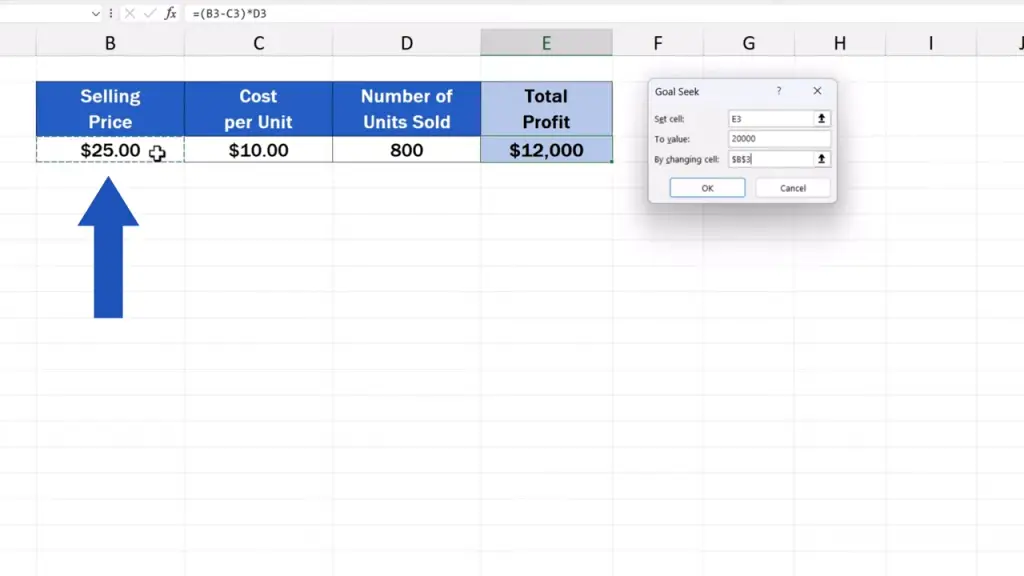
Once all the information’s been entered, we simply click on OK.
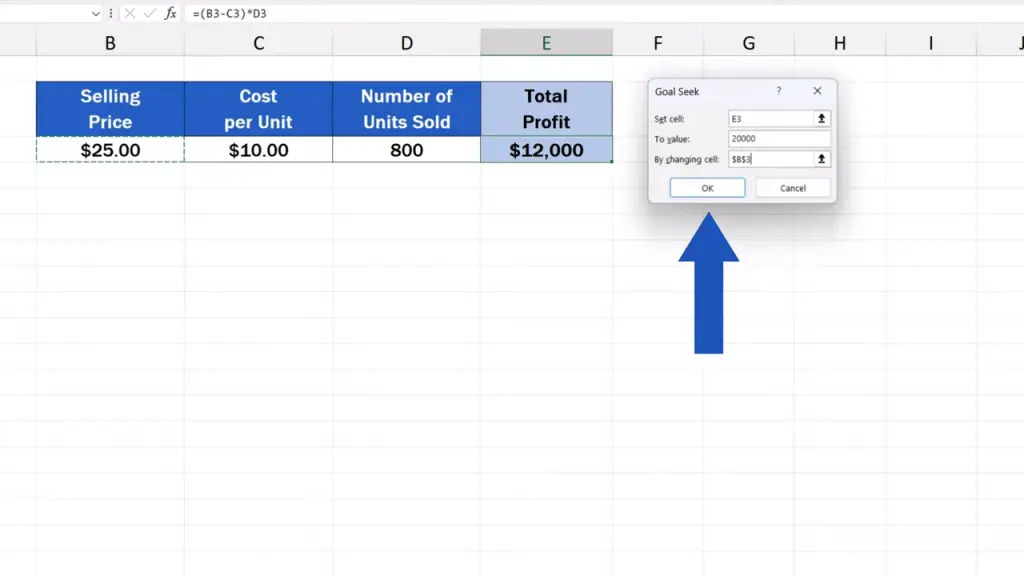
The exact selling price to achieve the goal of 20 000 dollars will be calculated right away.
Here we can see that we need to increase the selling price per unit to 35 dollars to make a profit of 20 000 dollars.
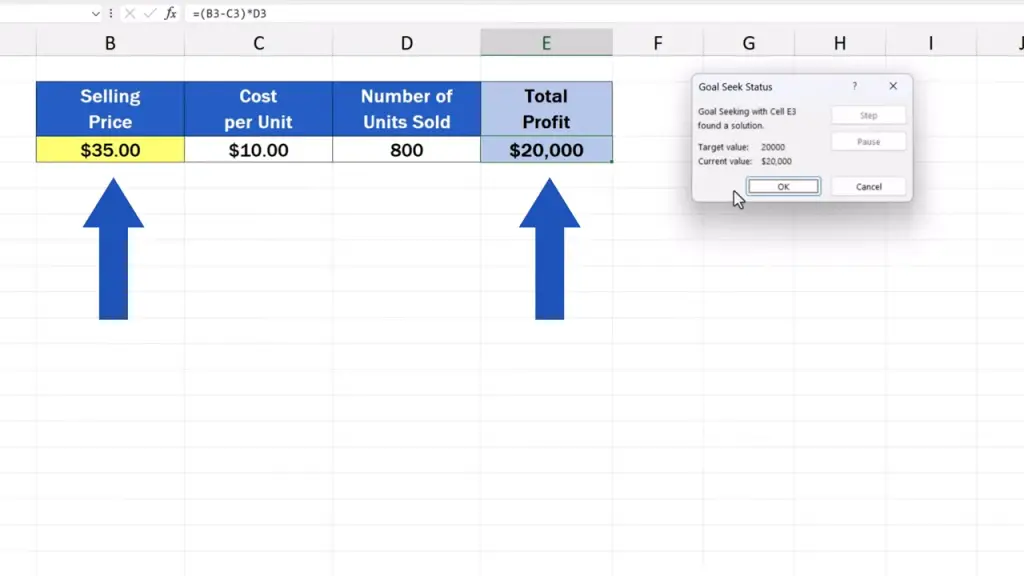
Goal Seek can save a great deal of time when it comes to various financial calculations, planning or data analyses. This example was quite simple, but Goal Seek can manage much more complicated calculations, just try it out!
Don’t miss out a great opportunity to learn:
- How to Count Unique Values in Excel
- How to Calculate a Rank in Excel
- How to Calculate the Median in Excel
If you found this tutorial helpful, give us a like and watch other tutorials by EasyClick Academy. Learn how to use Excel in a quick and easy way!
Is this your first time on EasyClick? We’ll be more than happy to welcome you in our online community. Hit that Subscribe button and join the EasyClickers!
Thanks for watching and I’ll see you in the next tutorial!

 How to Subtract a Percentage in Excel
Welcome! Today we’re going to talk about the simplest way how to…